

Creating a cozy and productive home office space is increasingly important as more people work remotely or squeeze work into their daily home routines. A well-designed office not only supports better focus and efficiency but also helps maintain a healthy work-life balance. In this post, we’ll share practical tips on how to turn any corner of your home into an inviting and effective workspace.
Why Your Home Office Setup Matters
Your environment directly influences your ability to concentrate and stay motivated. A cluttered or uncomfortable workspace can lead to distractions and fatigue. Conversely, a thoughtful setup can enhance creativity, reduce stress, and make work feel more enjoyable.
Keep in mind that a cozy home office doesn’t just mean comfortable furniture—it’s about creating a space that supports your personal work habits and preferences.
Choosing the Right Location
Find a Quiet Spot
Select a space in your home that is as free from distractions as possible. Ideally, it should be separated from high-traffic areas like the kitchen or living room. If privacy is limited, consider noise-canceling headphones or room dividers.
Consider Natural Light
Position your workspace near a window to take advantage of natural light. Sunlight boosts mood and energy, making it easier to stay alert. If natural light is scarce, invest in quality task lighting that mimics daylight.
Comfortable and Functional Furniture
Ergonomic Chair
Investing in a good chair is essential. Look for one that supports your lower back and promotes good posture. Adjustable height and swivel features add flexibility and comfort.
Desk Choice
Choose a desk with enough surface area to hold your computer, notebook, and other essentials without feeling cramped. Height should allow you to work without straining your shoulders or wrists.
Standing Desk Options
If possible, a sit-stand desk or a height-adjustable setup gives you the flexibility to alternate between sitting and standing, which can improve circulation and reduce fatigue.
Organizing for Efficiency
Declutter Regularly
Keep only what you need on your desk. Use drawers or storage bins to hide away supplies and documents. A clean workspace reduces distractions and helps maintain focus.
Use Organizational Tools
Desk organizers, shelves, and filing systems help keep items orderly. Label storage spaces so you can quickly locate what you need.
Manage Cables
Tidy up cords using cable clips or sleeves. An organized workspace not only looks better but also helps prevent frustration.
Personalizing Your Workspace
Add Cozy Textures
Include soft elements like a plush rug, cushions, or a throw blanket to make the space feel inviting.
Bring in Greenery
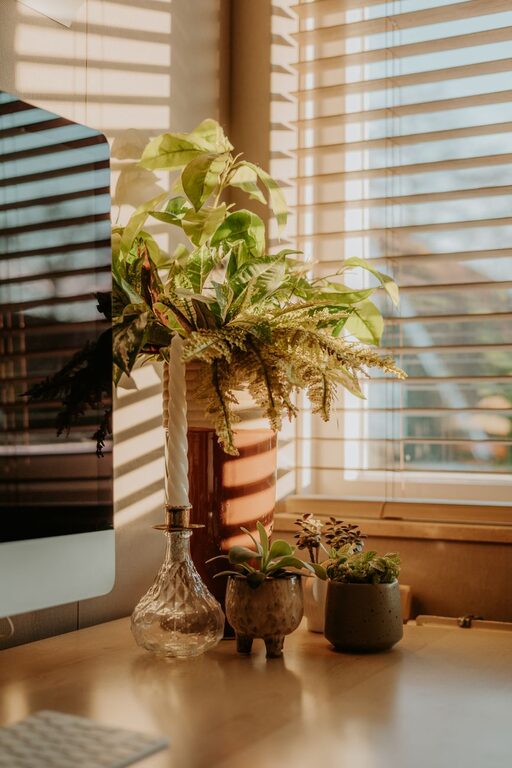
Plants improve air quality and add life to your office. Small potted plants or succulents are easy to maintain and enhance the atmosphere.
Display Inspiring Items
Personal touches such as photos, artwork, or motivational quotes can boost your mood and keep you motivated during long workdays.
Creating Boundaries for Work-Life Balance
Set Clear Work Hours
Define your working schedule and stick to it. This helps you avoid burnout and keeps your home life separate from work.
Designate the Space
Make your home office a dedicated zone for work only. Avoid using it for leisure activities to maintain productivity cues.
Use a Door or Visual Marker
If possible, close a door or place a screen to signal to family members or roommates that you’re in work mode.
Enhancing Focus and Comfort
Control Noise Levels
Background music, white noise machines, or noise-canceling headphones can help minimize distractions and improve concentration.
Manage Temperature
Make sure your workspace has proper ventilation and a comfortable temperature. Use fans or heaters as needed, but avoid drafts.
Take Breaks and Move
Incorporate movement into your routine. Stand, stretch, or take short walks to refresh your body and mind.
Technology and Connectivity
Reliable Equipment
Ensure your computer, printer, and other tools are in good working condition. Upgrading equipment when necessary prevents interruptions.
Strong Internet Connection
A fast and stable internet connection is crucial for video conferencing and online collaboration.
Cable Management for Electronics
Keep chargers and plugs organized to avoid tangles and accidental disconnects.
Final Thoughts
Designing a home office that is cozy and productive doesn’t require a large budget or a separate room. By focusing on comfort, organization, natural elements, and clear boundaries, you can create a space that supports your best work habits. Start small, and gradually adjust your setup until it feels just right for you.
Remember, the goal is to build an environment where you feel comfortable and motivated to perform at your best every day. Happy decorating and productive working!